
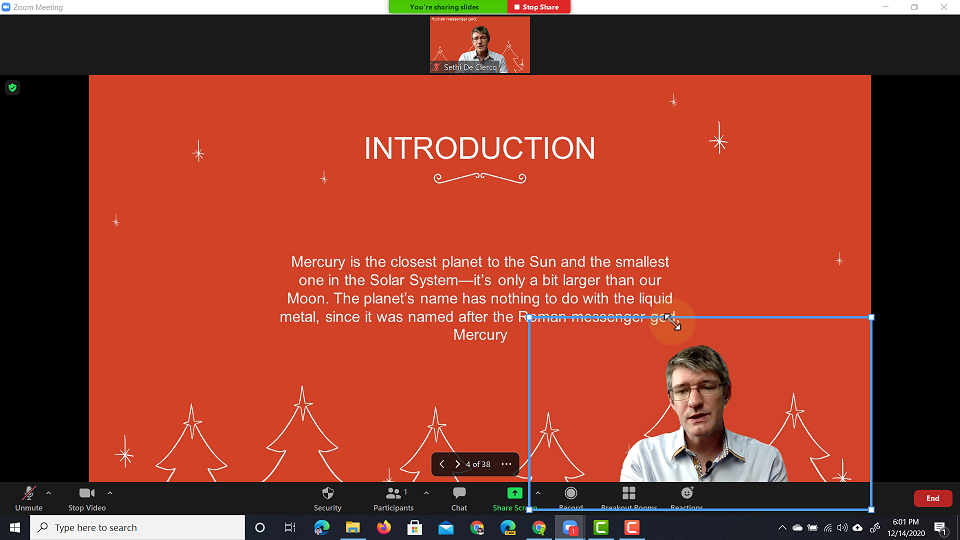
Did you know Zoom supports PowerPoint presentations as your virtual background? This is such a game changer, especially with online learning and teachers up-skilling to produce more video based content.
It all starts with great slideshows.
If you are serious about increasing engagement during your lessons or want to make sure people don’t doze off, a good presentation is important.
I’ve discussed some amazing template websites before in this post and video, so go ahead and check these out before continuing. Now that you’ve got a great presentation, make sure you’ve got the latest version of Zoom installed.
All good to go? Great let’s get started then.
You can present you lesson standing in front of the actual presentation you’re discussing.
To follow the steps in this video you will need a few things. First, as mentioned before, make sure you have your Zoom client(The installed program) fully updated to the latest version.
Next, you will need a version of PowerPoint locally installed. The cloud (Runs in the browser) versions will not work for this.
And most importantly, you need a device that can handle the virtual backgrounds. Zoom has specific hardware requirements in order to fully use the virtual background technology. Without this you will not be able to use the PowerPoint presentation as your background. If you do not see the standard virtual background as an option, it is possible your device or pc is not compatible with this feature.